See What You Can Do With
Event Selfie Studio
A complete walkthrough of every feature — from dashboard to slideshow. Real screenshots, real power.
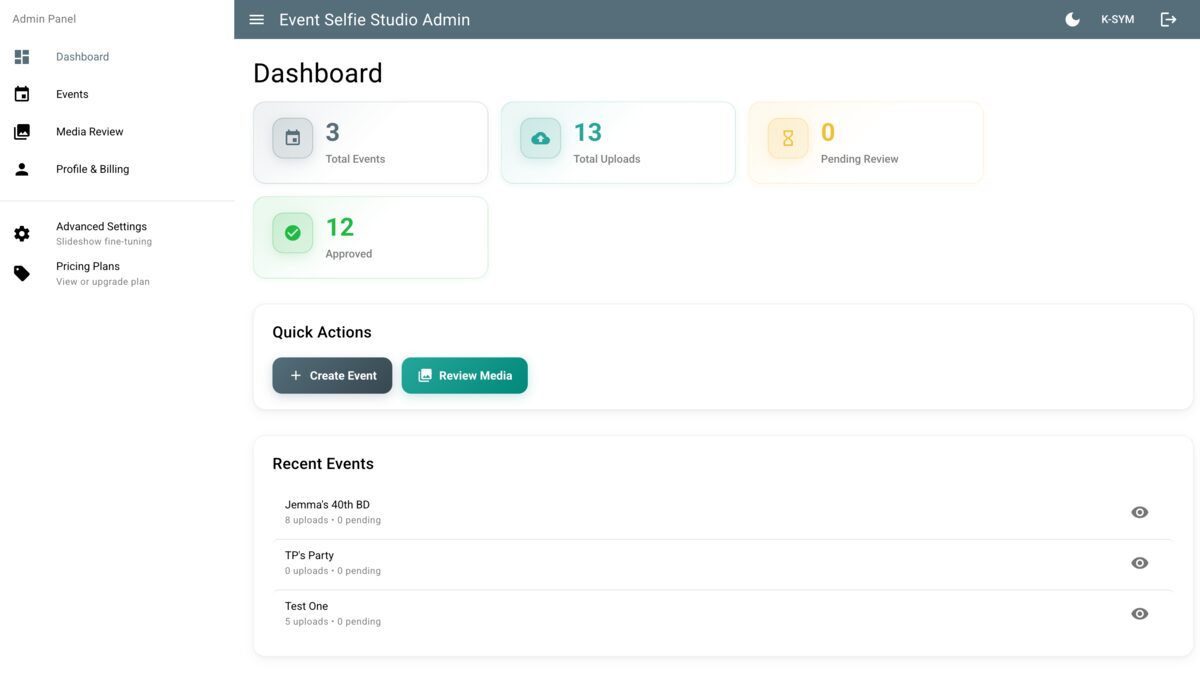
Dashboard
Your command centre. Get an instant overview of all your events, total uploads, pending reviews, and approved photos -- then jump straight into action.
- Real-time stats at a glance
- Quick action buttons for common tasks
- Recent events with status indicators
- One-click access to create events or review media
Event Management
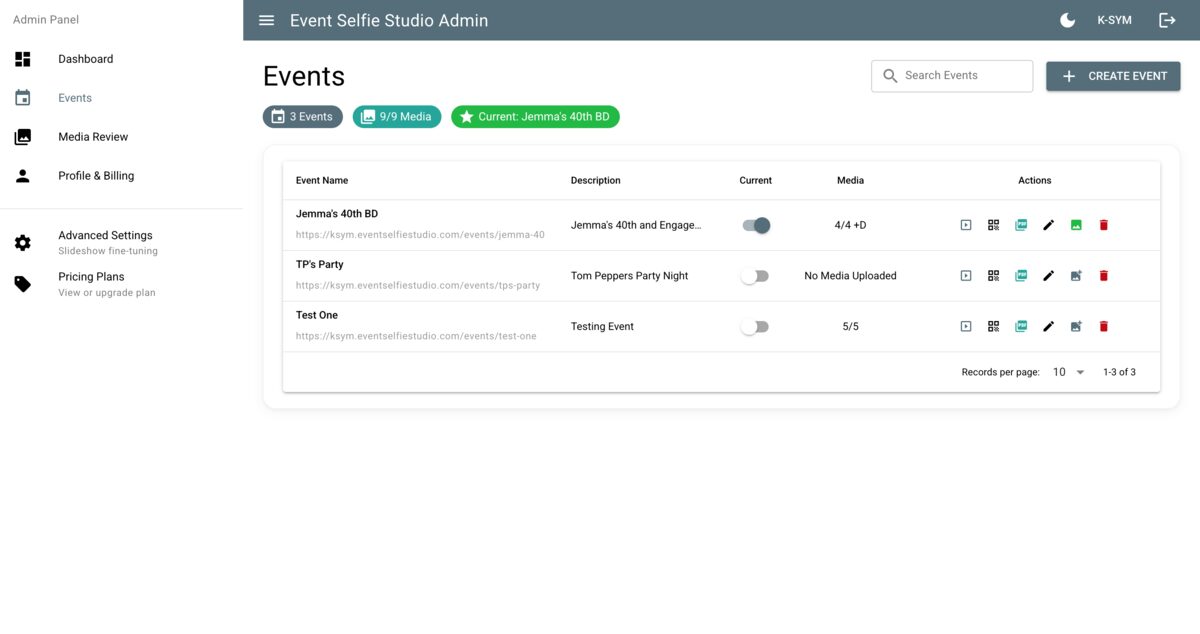
Create, edit, and manage multiple events from a single interface. Toggle events on and off, track upload counts, and access every tool from the event row.
- Manage unlimited events in one place
- Quick-access action icons per event
- Toggle events active/inactive instantly
- See media counts and status at a glance
QR Code Generation
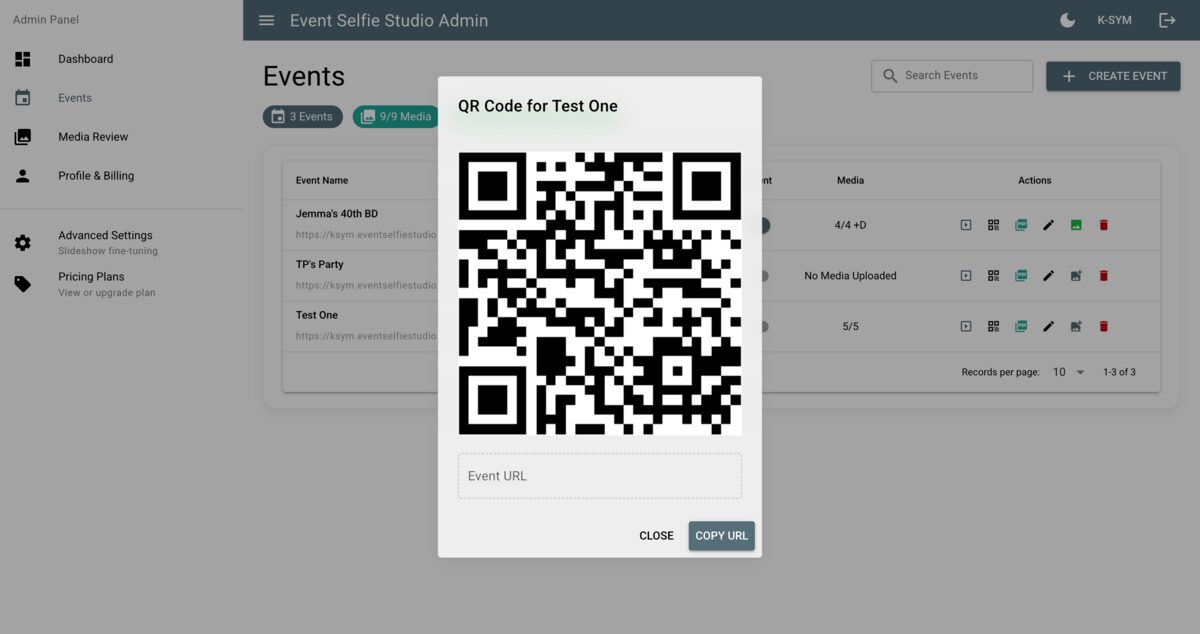
Every event gets a unique QR code that guests can scan to upload selfies instantly -- no app install required. Copy the link or download the QR for print.
- Instant QR code for every event
- Works on any smartphone browser
- Copy URL with one click for sharing
- No app download needed for guests
Printable Posters
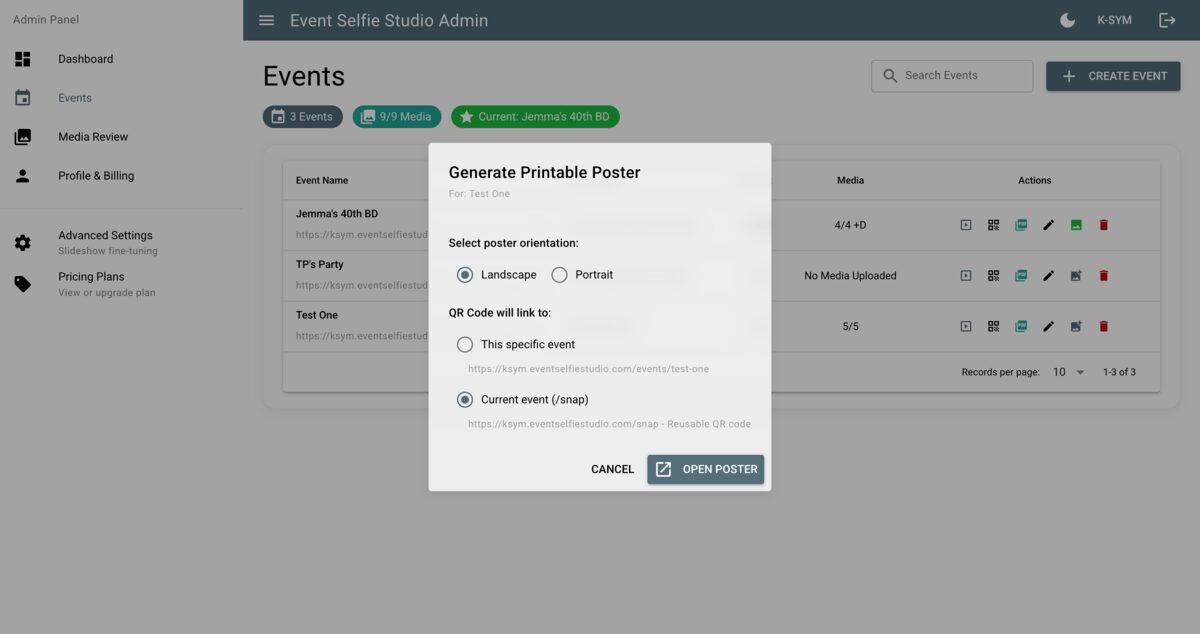
Generate professional posters with embedded QR codes in landscape or portrait orientation. Perfect for table cards, standees, and venue signage.
- Landscape and portrait orientations
- Embedded QR code for instant access
- Choose event-specific or reusable URLs
- Print-ready quality output
Media Review & Moderation
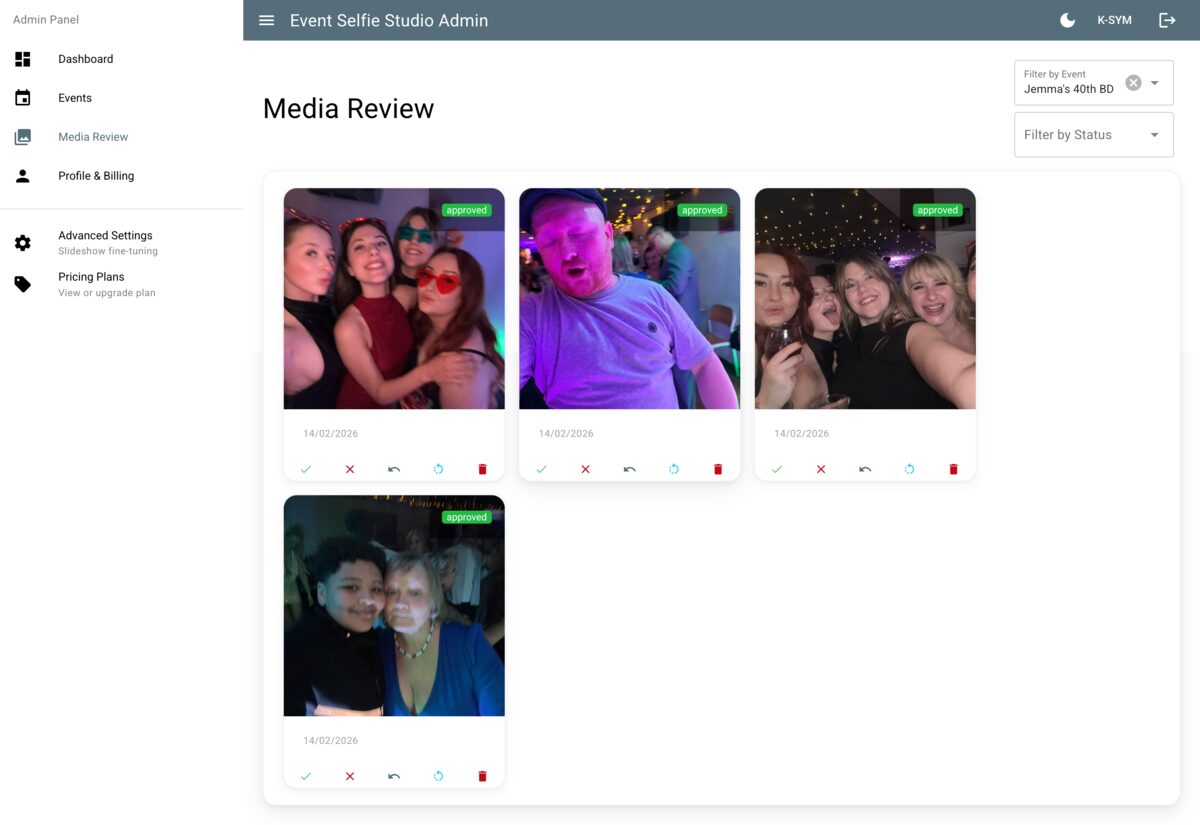
Review every upload in a visual grid. Approve, reject, rotate, or delete photos with one click. AI moderation flags questionable content automatically.
- Visual grid of all uploads
- AI-powered automatic content flagging
- One-click approve, reject, or delete
- Rotate photos without re-uploading
Live Slideshow
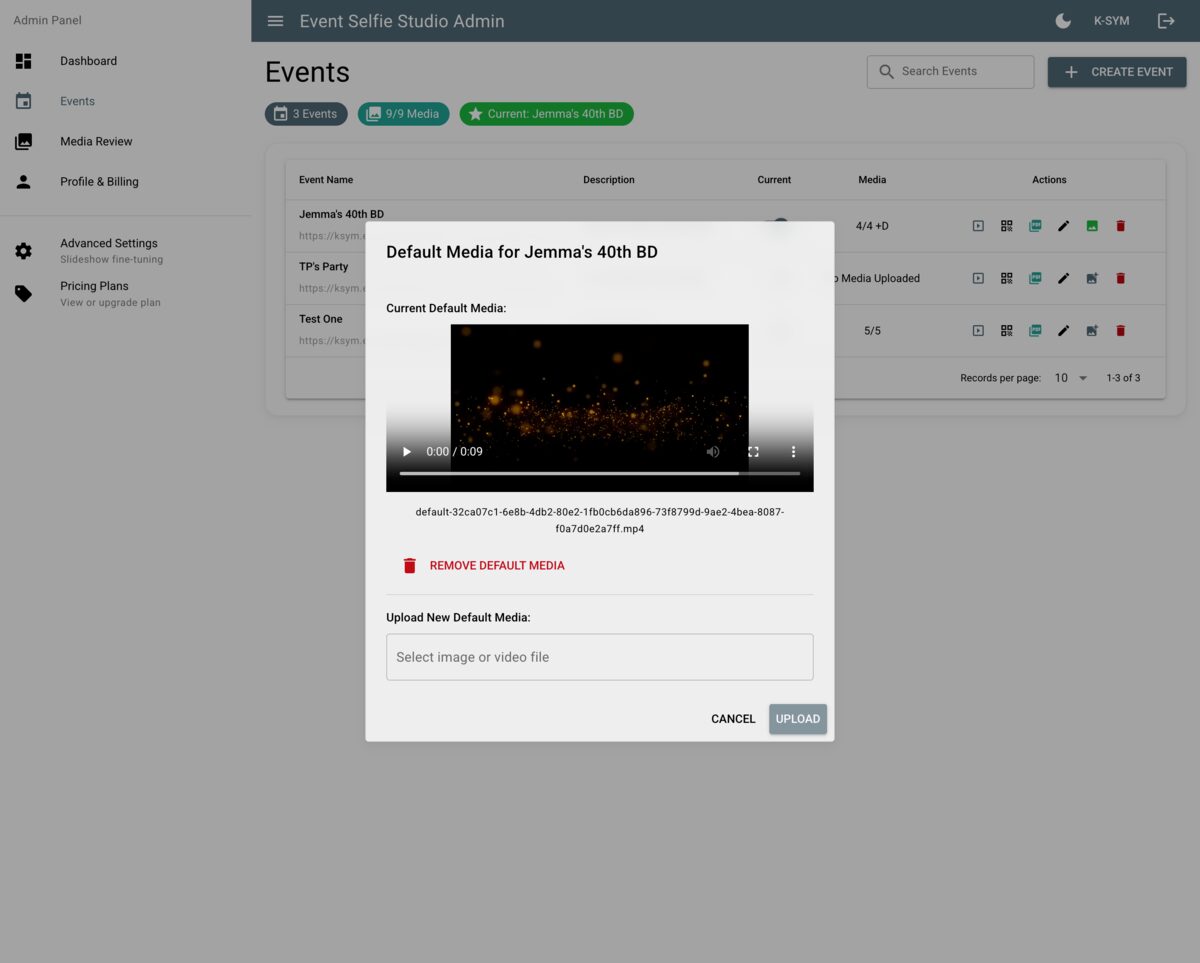
Set a default media loop -- video or image -- that plays between uploads. When a new selfie arrives, it appears live on screen, then returns to the default.
- Default media plays between uploads
- Support for video and image defaults
- Real-time display of new uploads
- Perfect for big screens and projectors
Advanced Settings
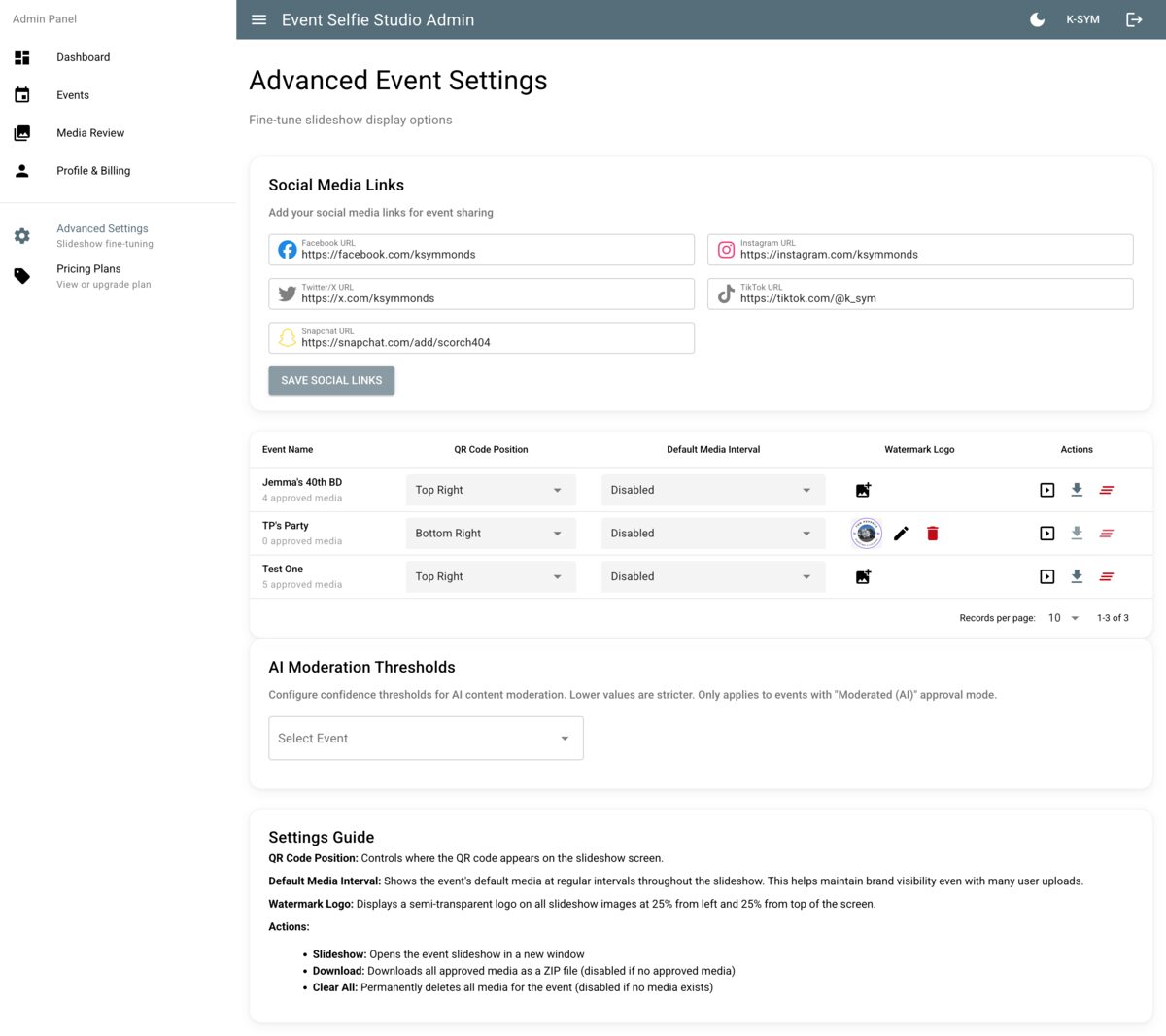
Fine-tune every aspect of your event -- social media links, watermark logos, QR code positioning, slideshow intervals, and AI moderation sensitivity.
- Custom social media links per event
- Watermark logo upload and positioning
- AI moderation threshold control
- Slideshow timing and QR display options
Flexible Pricing
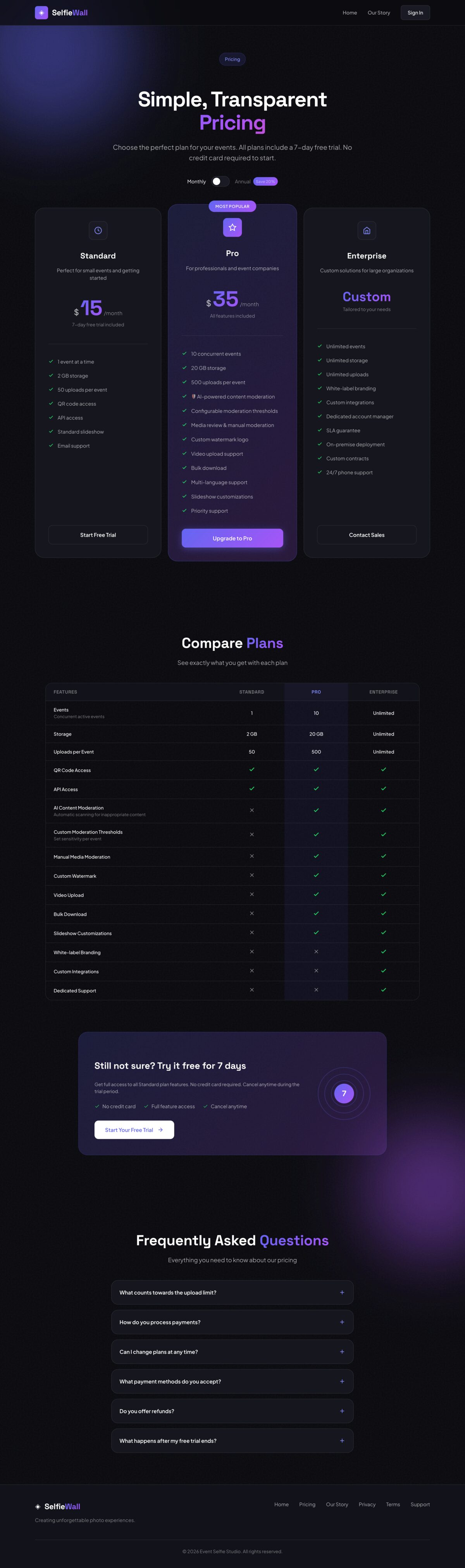
Plans for every size -- from a single birthday party to enterprise-scale multi-event operations. Start free, upgrade when you need more.
- 7-day free trial, no card required
- Standard, Pro, and Enterprise tiers
- Monthly or annual billing
- Feature comparison table included
Ready to Get Started?
Try every feature free for 7 days — no credit card required.